Vibecoding a Pomodoro Timer for Your Home Studio ⏱️
The Session That Never Started.
You sit down to practice.
Then you check one email.
Then you watch one video.
Then you tweak a synth patch you'll never use.
An hour later...
You haven't played a note.
Sound familiar?
A timer won't play for you.
But it does tell you when to start.
And when to stop.
Last week you met vibecoding.
This week you build your first tool.
Also read: Vibecoding for Music Producers: Build Your Own Music Tools With Claude 🤖
Quick Summary
You can build a practice timer for your home studio in one sitting:
👉 Decide what it does — work time, break time, and what you're practicing
👉 Describe it to Claude — in plain words, like you'd tell a friend
👉 Test it — run one real practice session with it
👉 Change one thing at a time — until it fits the way you work
No code.
No app store.
Just a tool that gets you playing.
1. ⏱️ Why Use a Practice Timer?
Practice without a timer has no edges.
It starts late.
It drifts.
It ends when you get tired.
A timer gives your practice a beginning and an end.
The Pomodoro Technique is the classic version.
Francesco Cirillo came up with it in the late 1980s, using a tomato kitchen timer.
25 minutes of work.
5 minutes of rest.
Repeat.
It works for scales, ear training and learning a new shortcut in your DAW.
Short blocks are easier to start.
Also read: Songwriting & Beatmaking: How to Overcome Overwhelm and Procrastination 🚀
2. 📝 What Should Your Timer Do?
Before you talk to Claude, write down what you want.
Keep it small.
For a first version, try:
👉 A big countdown — easy to read from across the room
👉 Start, Pause and Reset buttons
👉 Work and break times you can change — 25 and 5 to start
👉 A sound when time's up — so you don't have to watch the clock
👉 A goal box — one line, like "Learn the chorus chords"
👉 A session count — how many blocks you finished today
That's it.
You can add more later.
3. 🗣️ How Do You Describe It to Claude?
Use the four things from last week: what it's for, what goes in, what comes out and how it looks.
Here's a prompt you can copy:
"I'm a music producer and I want a practice timer for my home studio. I type what I'm practicing and pick a work time and a break time (start with 25 and 5 minutes). It shows a big countdown, plays a soft sound when time's up, then starts the break. It counts how many work blocks I finished today. Dark background, big numbers I can read from my keyboard, three buttons: Start, Pause, Reset."
Send it.
Claude builds it and shows it working right in the chat.
Also read: The Ten Best AI Music Production Tools 🤖
 ⭐️ Download my Free Music Production Guides or take my free Ableton Live Course ⭐️
4. 🧪 How Do You Test It?
Run one real practice session with it.
Not a pretend one.
While you practice, notice:
👉 Can you read it from where you sit?
👉 Is the sound right — loud enough to hear over headphones, soft enough that you don't jump?
👉 Does the break start by itself, or do you have to click?
Then ask for one change.
"Make the numbers bigger."
"Use a softer sound."
"Show my goal at the top while the timer runs."
One change. Test. Next change.
Same way you'd work on a mix.
⚔️ Your Timer vs. a Phone Timer vs. a Timer App
| Your Timer | Phone Timer | Timer App | |
|---|---|---|---|
| Built for practice | Yes | No | Sometimes |
| Shows your goal | Yes | No | Sometimes |
| Phone stays out of reach | Yes | No | No |
| You can change it | Ask Claude | No | Wait for an update |
⚖️ Too Much vs. Too Little
Too much...
And you spend the whole night adding features.
Themes.
Charts.
A streak counter.
No practice happens.
Too little...
And you keep reaching for your phone, and the phone wins.
Just right is one timer you use every day.
Also read: The Songs You Finish Become the Music Producer You Are 🎵
🥷 Build Your Practice Timer Today
Step 1
Write down what you practice and how long you want each block to be.
Step 2
Copy the prompt above into Claude and change it to fit you.
Step 3
Run one real session, then ask for one change at a time.
The timer starts the clock.
You still have to play.
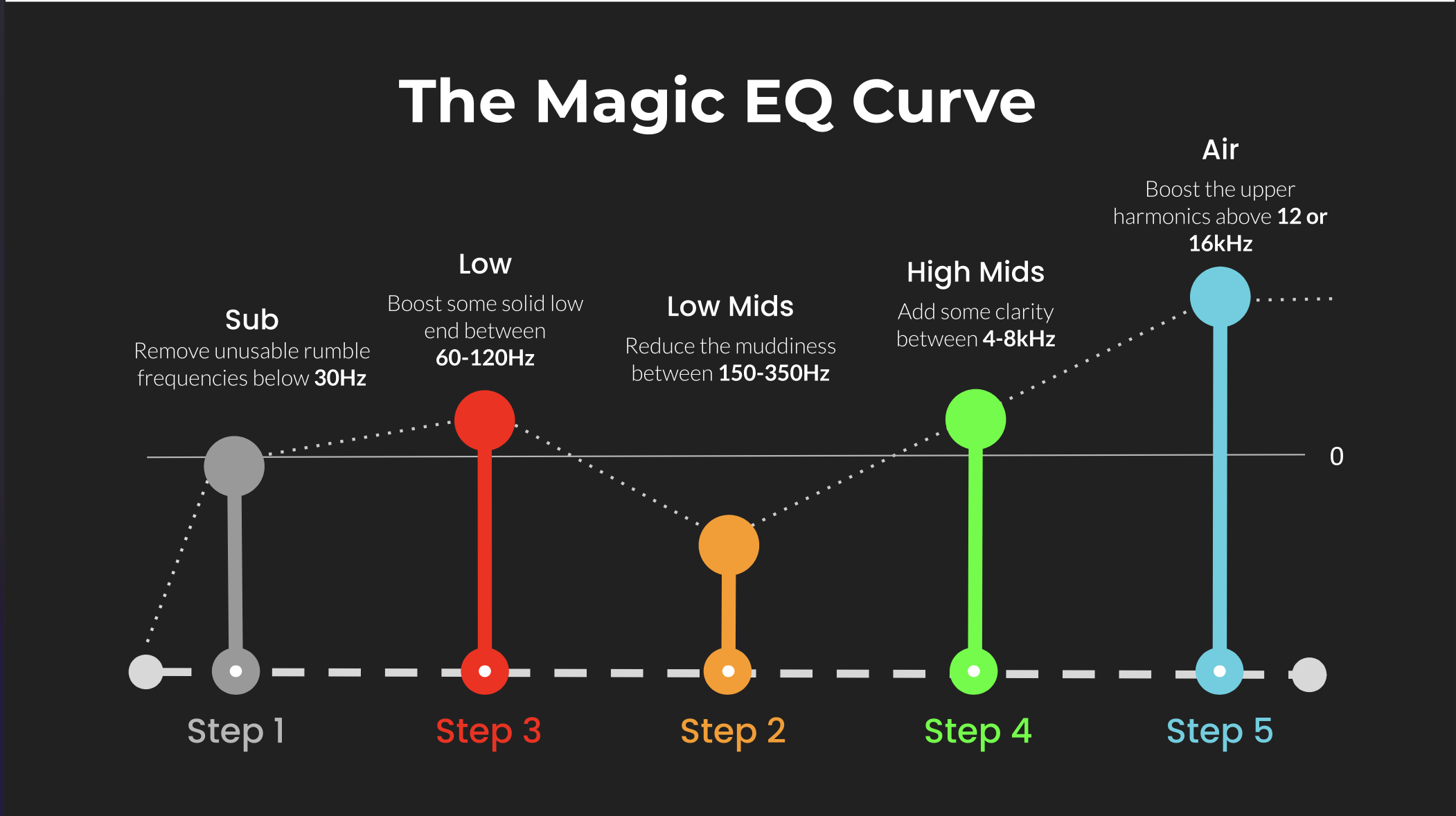 ⭐️ Download my Free Magic EQ settings Guide ⭐️

⭐️ Download my Free Magic Reverb settings Guide ⭐️
#homestudio #musicproduction #vibecoding #practice
Also read:
How to Start Your Own Online Business Teaching Music
Hey, I'm Futch - Music Production Coach and Ableton Certified Trainer

Learn how to make your first song and beat in Ableton Live with my
FREE 90-minute Ableton Live course
I've been teaching audio engineering and music production for 35 years.⭐️
Check out my new online music production program: Music Production Ninja...