Pro Tools Intro vs Artist for Beginners 🎚️
The Studio Standard, Simplified
“The right tool doesn’t just help you start.
It helps you grow.”
If you walk into a professional recording studio, there’s a high chance you’ll see:
- Pro Tools
For decades, Pro Tools has been the industry standard for:
- recording
- editing
- mixing
That’s why many producers learn it — even if it’s their second DAW.
The good news?
You can now start for free.
Quick Summary
👉 Pro Tools Intro is a free, beginner-friendly version with track limits and fewer features. Pro Tools Artist is a paid version with more tracks, instruments, and mixing power — ideal as you grow.
Should I Learn Pro Tools or Ableton Live? 💻
🎧 Why Learn Pro Tools at All?
Even if you produce in another DAW…
Pro Tools is worth learning.
Why?
- used in professional studios worldwide
- standard for recording bands and vocals
- powerful editing tools
- industry-recognized workflow
Learning Pro Tools is like learning the language of studios.
💻 Pro Tools Intro — The Free Starting Point
Pro Tools Intro is completely free.
No trial.
No subscription required.
What You Get
- limited track count (8 audio and 8 MIDI)
- limited to recording 4 tracks at once
- basic plugins (36 effects and a few virtual instruments)
- essential recording tools
- core Pro Tools workflow
What It’s Best For
- beginners learning recording
- small sessions
- vocals and simple productions
- understanding the Pro Tools environment
The Limitation
You will hit limits.
Especially when sessions grow.
Intro gets you started.
But it’s not built for large projects.
🎛️ Pro Tools Artist — The Next Step
Pro Tools Artist is the first paid tier.
It expands the system significantly.
What You Get
- more audio tracks (32)
- more MIDI tracks (64)
- larger sessions
- more effects and virtual instruments (110)
- record up to 16 tracks at once depending on your audio interface's capability
What It’s Best For
- full song production
- larger mixes
- more complex arrangements
- growing producers
Pricing
Artist removes the ceiling.
 ⭐️ Download my Free Music Production Guides or take my free Ableton Live Course ⭐️
🎚️ Track Count — The Big Difference
This is the most important upgrade.
Pro Tools Intro
- limited number of tracks
- ideal for small projects
Pro Tools Artist
- significantly higher track count
- supports full productions
More tracks = more creative freedom.
🎹 Plugins and Instruments
Intro
- essential effects
- basic instruments
Artist
- expanded plugin library
- more creative tools
- more flexibility in mixing
Artist gives you more colors to work with.
🔐 iLok — What You Need to Know
Both versions require a free iLok account.
iLok Options
- cloud authorization (recommended)
- USB dongle (optional)
What It Means
- you must log in to use Pro Tools
- your license is managed through iLok
iLok is part of the Pro Tools ecosystem.
Read more: What Is An iLok And When Do I Need One?
🎧 Intro vs Artist — Side-by-Side
| Feature | Intro | Artist |
|---|---|---|
| Price | Free | Paid subscription |
| Track Count | Limited | Expanded |
| Plugins | Basic | More included |
| Instruments | Basic | Expanded |
| Use Case | Learning | Full production |
🎯 Which One Should You Choose?
Choose Pro Tools Intro if you:
- are just starting
- want to learn the workflow
- record simple sessions
- don’t want to spend money yet
Choose Pro Tools Artist if you:
- want to produce full songs
- need more tracks
- want more creative tools
- are ready to invest in your setup
🧠 FAQ
Q: Is Pro Tools Intro really free?
A: Yes — it’s a fully free version with limitations.
Q: Can I upgrade later?
A: Yes — you can move from Intro to Artist easily.
Q: Do I need iLok?
A: Yes — both versions require a free iLok account and you can use the cloud version without needing a USB dongle.
Q: Is Pro Tools good for beginners?
A: Yes — especially if you want to learn studio workflows.
🔑 Final Thought
Pro Tools Intro gives you the door.
Pro Tools Artist gives you the room.
Start simple.
Upgrade when your ideas outgrow the limits.
And no matter what…
Learning Pro Tools means learning how records get made.
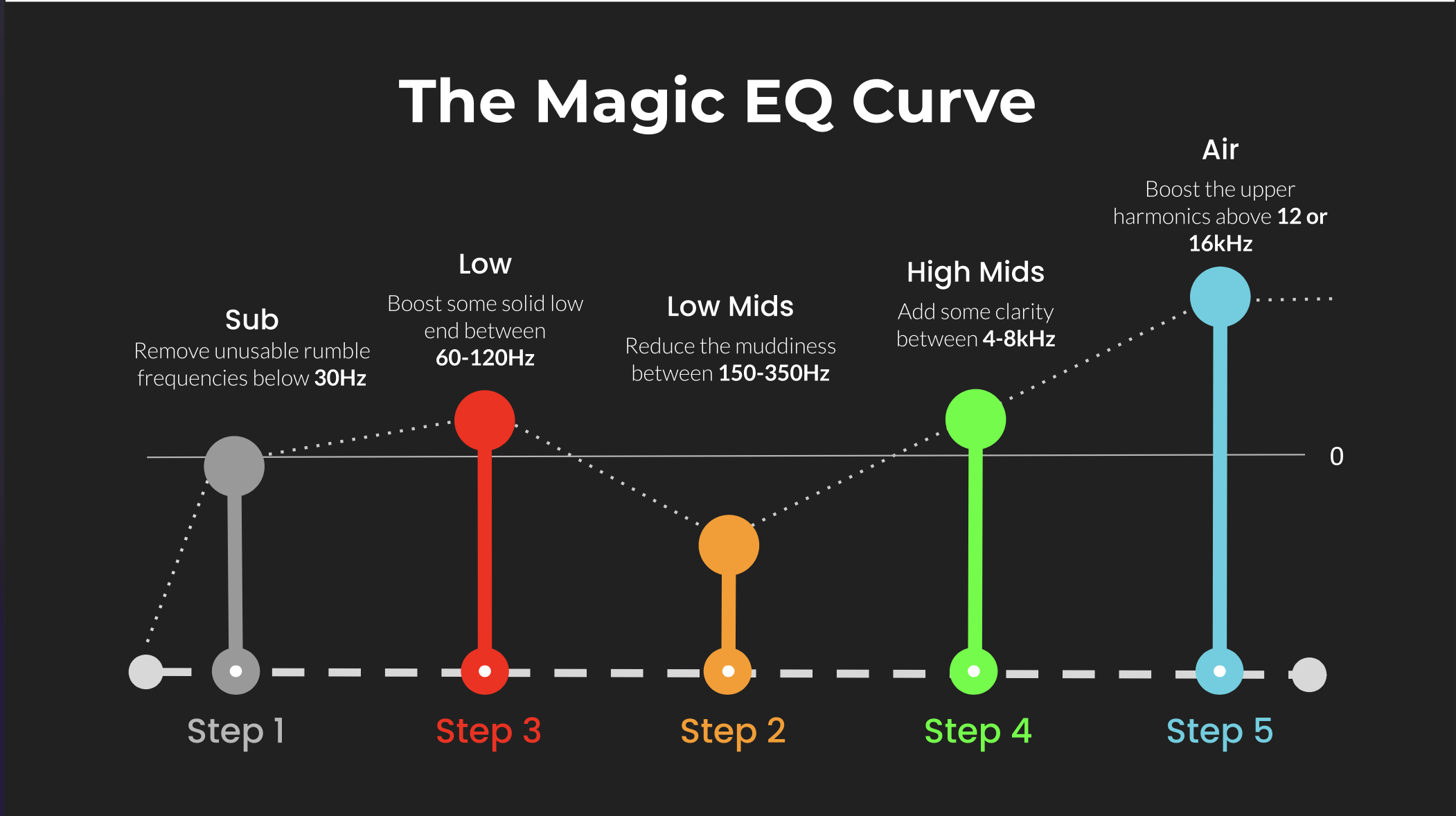 ⭐️ Download my Free Magic EQ settings Guide ⭐️

⭐️ Download my Free Magic Reverb settings Guide ⭐️
#protools #daw #homestudio #recordingschool #recording #musicproduction
Also read:
How to Start Your Own Online Business Teaching Music

Hey, I'm Futch - Music Production Coach and Ableton Certified Trainer

Learn how to make your first song and beat in Ableton Live with my
FREE 90-minute Ableton Live course
I've been teaching audio engineering and music production for 35 years.⭐️
Check out my new online music production program: Music Production Ninja...